
Payment Certification - October 7, 2026
Ask most ATM QA or testing managers whether last night's regression run was successful or not and the answer will probably be something like: “let me ask the team” or “I’ll need to research that”. And after some poking and prodding and several conversations, the next response might be “well, we think so”.
That model might have been workable (but not very efficient) when ATM software was updated few times a year. However, the manual testing approach quickly breaks down when application changes, OS updates, security patches, and fraud alerts arrive rapidly and continuously - as they do today - increasing the need for testing speed and accuracy to ensure that every release is thoroughly vetted before being placed into production.
VirtualATM provides an environment much more suitable for the way the world works today. Every test, every regression run, including project activity, API calls and AI-driven interaction is recorded and logged in the application database automatically. And all of it is accessible in one place: Statistics and Reporting.
One dashboard to manage your ATM testing operation
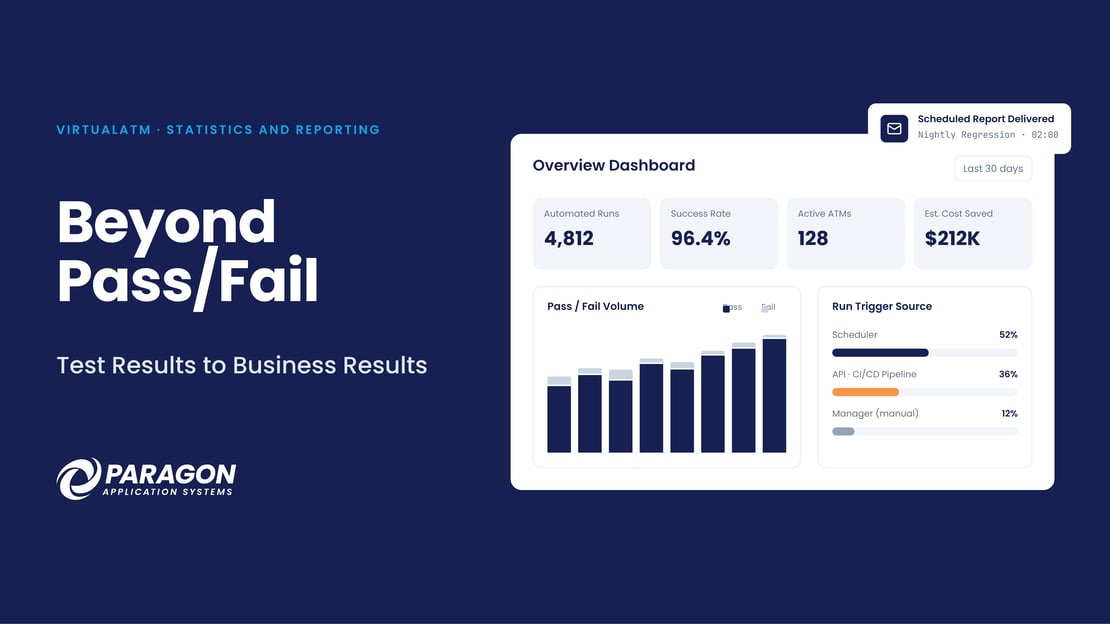
The VirtualATM Statistics and Reporting dashboard enables users and managers to summarize and analyze a wide variety of environmental metrics for any selected date range. Key performance indicators (KPIs) include:
- Automated test runs completed and the overall success rate
- Active ATMs and peak usage concurrency
- User logins and API calls
- Estimated cost saved by automation
Standardized charts beneath the KPIs show details like pass/fail execution volume over time, average test run duration and capacity trends, runs by project, host message types, API calls by endpoint, and card usage by group. Additionally, every chart carries a short description, so a user can easily read and understand the information without the need for additional education or training.
Making sure your testing automation is actually automated
One chart deserves special attention: “Run Trigger Source”. It shows how each test run was started, e.g., from the VirtualATM Manager interface, via the scheduler, or through the API from an external source like a CI/CD build pipeline.
That mix answers a question every leader who has invested in automation should ask: “Am I getting the full value out of automation or are we just using a new tool to support our old manual approach to testing?” If the “Run Trigger Source” chart is dominated by individual tests that are started manually, the organization is not getting the full benefit that automation can deliver.
Get details that matter
Beyond the Statistics and Reporting overview, dedicated tabs answer specific questions about important operational areas, such as:
- Projects: outlines total test runs, pass/fail, success rate, average/minimum/maximum duration, how runs were triggered, and the top failing script. You can also expand a project to see every failing script and the fail count.
- ATMs: documents test executions, pass/fail rates, availability, and host messages for each virtual machine in the system.
- Card Usage: tracks how often each test card was used.
-
Audit: provides a record of activity across the platform. Reporting respects the same group-based permissions as the rest of VirtualATM, so teams see the data they are entitled to and nothing more.
Answers delivered where and when you need them
Every report can be exported to various formats like CSV, PDF, or text. Scheduled Reports goes even further: choose the report, the format, a rolling date range, and frequency, and it arrives automatically by email along with a downloadable history.
For example, if you schedule a regression test to run every morning at 2 a.m., the output from the run will be delivered directly to your inbox and will be ready for review and analysis at the start of your business day.
Why these details matter
- Better business decision. Meaningful reporting transforms test results into actionable insights, helping organizations identify trends, prioritize improvements, and make informed decisions with confidence.
- Faster triage. Failing scripts and problem machines are visible at a glance.
- Proof that automation pays. Trigger-source and cost data show whether the investment is delivering.
- Audit readiness. Historical results are stored centrally and can be exported on demand.
- Fewer status meetings. Release readiness and regression results become easily documented and distributed reports to circulate across the organization.
The bottom line
Your ATM test environment can generate the answers that your organization needs to run efficiently, accurately, and profitably. VirtualATM makes sure that you can access, analyze, act on the data quickly and accurately.
Why Paragon
Paragon Application Systems has focused exclusively on payments and ATM testing for more than 30 years, and the Statistics and Reporting feature in VirtualATM reflects that focus. Every manual session, scripted run, AI-driven interaction, scheduled project, and API call is recorded centrally, these reports show what actually happened and when, so you can manage the testing operating more efficiently.
Paragon experts will support your implementation, including set-up, configuration, and training, as well as help you to build your first projects and automated regression scripts. We will be with you every step of the way to help ensure that you get the results and reports you need right from the start.
Next in this series: how VirtualATM turns transaction timing into a measurable view of the cardholder experience.

FAQs
What information does the VirtualATM Statistics and Reporting Dashboard contain?
The “Overview Dashboard” covers automation runs and success rate, active ATMs and peak concurrency, API calls and user logins, as well as calculations for the estimated cost saved by automation. Dedicated tabs add detail for Projects, ATMs, Card Usage, and Audit. The dashboard can easily be adjusted to summarize any date range you choose.
How can I tell whether our automation is really running unattended?
The “Run Trigger Source” chart shows how each test run was started: from the from the VirtualATM user interface, via the scheduler, or through the API from an external build CI/CD pipeline.
Can reports be delivered to my inbox automatically?
Yes. The “Scheduled Reports” feature enables you choose the desired report, the format, a rolling date range, and a recurrence. The report is delivered via email on the schedule you choose. And to support longer term research requirements, all of the detail is also maintained in the application database for as long as you choose to keep it.
A Guide to ATM Testing
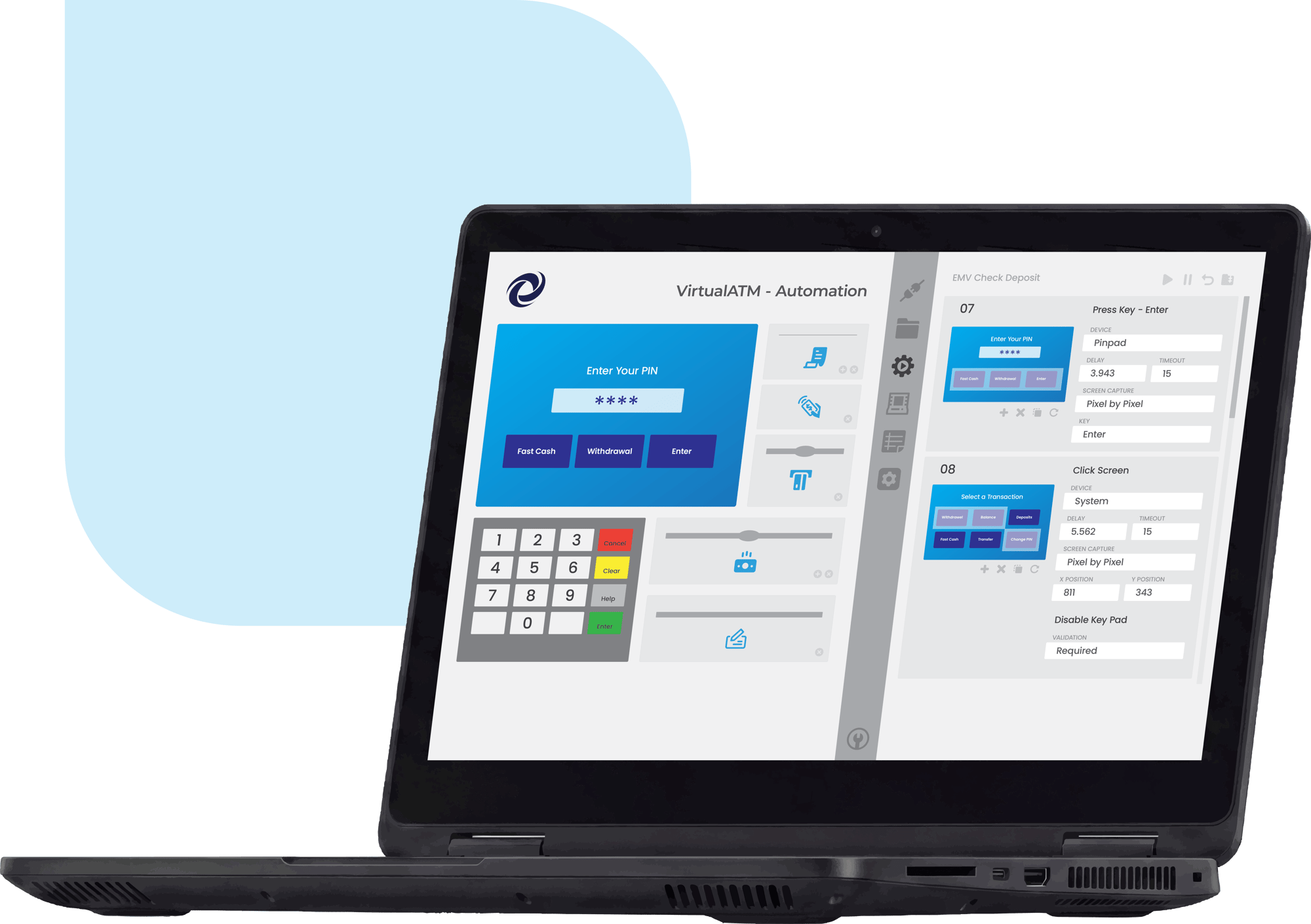
In this guide, we explore a number of issues and challenges associated with the continued reliance on manual ATM testing and provide information and advice on how to use virtualization technology to automate and streamline the ATM testing process.